Access to Justice Technology
Guided Self-Service for Courts and Legal Agencies
For millions of Americans, the legal system is not inaccessible because they lack legal problems. It is inaccessible because navigating it, completing the right forms, paying the right fees, filing at the right window, speaking the right procedural language, requires a level of confidence and resources that most people simply do not have.
Courts are not blind to this. Clerks answer questions they were not hired to answer. Legal aid organizations turn away roughly half the people who ask for help. Self-represented litigants fill out forms incorrectly, return repeatedly, and fall further behind. The system was not designed to be intuitive, and fixing that is not a staffing problem, it is an infrastructure problem.
Advanced Kiosks provides the infrastructure. Our Zamok-managed self-service kiosks are deployed in courthouses, law enforcement facilities, libraries, and community centers across the country, giving every citizen a guided, secure, ADA-compliant way to interact with the legal system, regardless of their legal literacy, income, or native language.
This is access to justice technology: practical, deployed, and working today.
What Is Access to Justice Technology?
Access to justice technology refers to digital tools and self-service systems that help citizens navigate the legal system without depending entirely on attorneys or court staff. The goal is to remove barriers… cost, complexity, geography, language, and unfamiliarity that prevent people from exercising their legal rights.
In a practical, government deployment context, access to justice technology includes:
- Self-service kiosks in courthouses, libraries, and public agencies that guide users through legal transactions
- Guided form completion tools that walk users through documents one question at a time
- Secure payment systems for court fees, fines, and filings
- Multilingual interfaces that remove language as a barrier
- Live agent escalation for situations that require human guidance
- Visitor management and wayfinding systems that help citizens navigate complex facilities
Advanced Kiosks deploys complete access to justice technology stacks, hardware, Zamok kiosk management software, and custom workflows, for court systems and legal agencies nationwide.
The Justice Gap and What Courts Cannot Fix Alone
The scale of unmet civil legal need in the United States is significant. The Legal Services Corporation’s research consistently finds that low-income Americans receive inadequate or no legal help for the vast majority of their civil legal problems, and that legal aid organizations must turn away approximately half of eligible applicants due to resource constraints.
The gap is not only about representation. It is about access to the entry points of the legal system, the forms, the clerks, the payment windows, the case information, the physical courthouse itself. For many Americans, every one of these is a potential barrier.
Where Citizens Get Stuck
- Arriving with incomplete or incorrect forms
- Not knowing which window, which department, or which form applies to their situation
- Language barriers at the point of service
- Inability to attend hearings or access services during business hours
- Lack of access to a computer, internet, or printer outside a courthouse
Intimidation in navigating unfamiliar legal processes alone
What This Costs the System
- Clerk time consumed by basic navigation questions and form corrections
- Rejected filings returned to citizens, who must start over
- Repeat courthouse visits for transactions that could have been completed the first time
- Delayed case processing from upstream data errors
Staff burnout from high volumes of preventable administrative interactions
How Self-Service Kiosk Technology Addresses the Justice Gap
Access to justice is not a single problem with a single solution. It is a collection of friction points, each one a place where a citizen without resources, language fluency, or legal knowledge hits a wall. A complete kiosk deployment addresses all of them.
Guided Form Completion
Advanced Kiosks deploys guided form workflows that walk users through each question in plain language, with conditional logic that adapts based on their answers. Users never see the full form at once. They answer one question, then the next, and the system assembles a complete, accurate submission from their responses. Errors are caught at the point of entry, not at the clerk’s window.
For AI-powered eForms guidance and Scan & Scrub document processing, see our AI-Guided Court Intake page.
Secure Court Payments
Our Vault payment kiosks and integrated payment workflows enable citizens to pay court fees at any hour, with support for credit and debit cards, multiple payment types, and printed or emailed receipts.
Payment processing is handled securely and integrated with court financial systems, reducing manual reconciliation and improving accuracy.
Multilingual Access
El Paso County, Texas, deployed a seven-kiosk system in English and Spanish to serve a diverse population that includes residents and military personnel from nearby Fort Bliss. Multilingual kiosks are now considered a baseline expectation in access to justice deployments.
Visitor Management and Wayfinding
Advanced Kiosks deploys visitor management and wayfinding systems that check citizens in, verify identification, issue badges, and guide them to the right location. Wayfinding kiosks provide interactive building maps and step-by-step directions. The 30th Judicial Court in Lansing, Michigan deployed a multifunctional kiosk specifically to help citizens navigate a complex courthouse facility.
24/7 Access to Legal Information and Resources
Access to justice kiosks extend service availability beyond office hours, enabling citizens to file documents, access case information, pay fees, and look up legal aid resources at any time.
North Carolina’s eCourts initiative is deploying ADA-compliant kiosks across county courthouses for exactly this reason: to give citizens access to court services outside business hours, reducing the burden on both the public and court staff.
Live Agent Escalation
Advanced Kiosks integrates communication functionality into access to justice deployments. When a citizen needs help, they connect to a live, trained agent, in real time, without leaving the kiosk. The agent walks them through the next step. No one gets left behind.
This is what Live Agent Escalation means in a justice context: AI and self-service handle what they can; a human is always available for what they cannot.
System Security and ADA Compliance
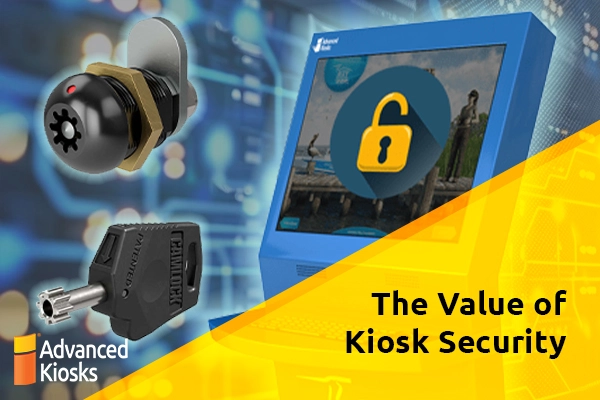
A general-purpose tablet in a courthouse lobby is a security liability. An Advanced Kiosks deployment is a locked-down, court-configured system. Zamok Kiosk Management Software restricts every unit to approved workflows and whitelisted resources. There is no open browser, no file system access, and no way to exit to the desktop. Every session is logged, and the audit trail is exportable for compliance and grant reporting.
All deployments are ADA-compliant, with configurable screen heights, audio assistance options, and accessible touchscreen interfaces. Courts have security requirements that general-purpose technology cannot meet. Advanced Kiosks is built for that environment.
Real Access to Justice Deployments – Courts and Agencies Nationwide
Access to justice technology is not theoretical. Courts, agencies, and state judicial systems across the country have deployed self-service kiosks as a core part of their service delivery infrastructure.
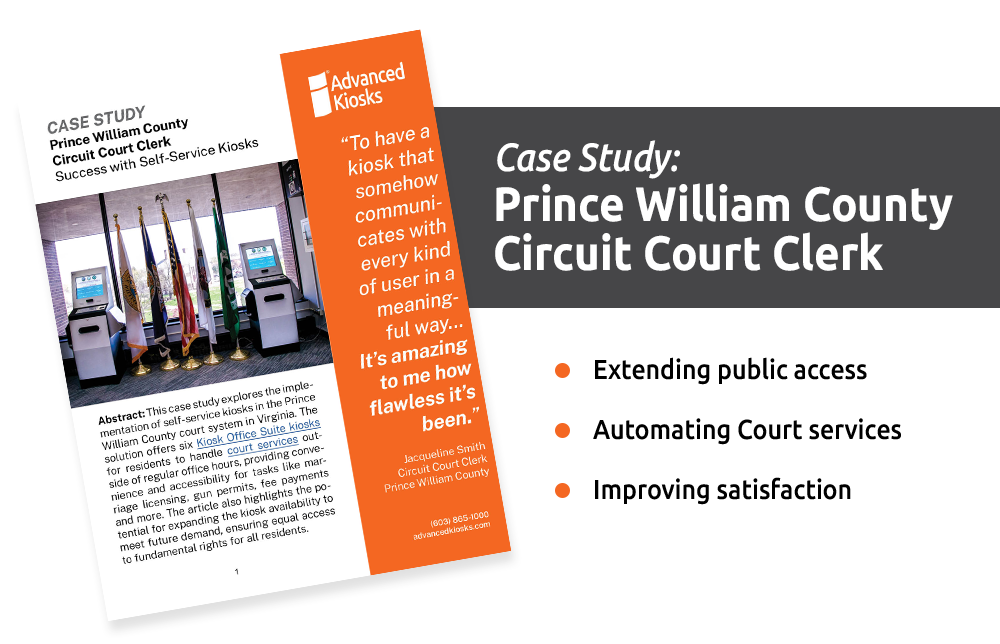
- Prince William County Circuit Court Clerk’s Office – Prince William County, Virginia
Three self-service kiosks providing access to Circuit Court Clerk services: marriage licenses, deed copies, case information, and payments, extended into government buildings and libraries. Grant funding secured for 11 additional units. Clerk of Court Jacqueline Smith: “About as close to plug and play as a kiosk could be.”
- 90+ Courthouse Kiosks Statewide – Arkansas statewide
A collaborative initiative between the Arkansas Access to Justice Foundation, the Court Improvement Program, and the Administrative Office of the Courts. Kiosks in courthouses and libraries across all 92 counties, providing legal forms, guides, and interactive tools for civil legal matters.
- North Carolina eCourts Initiative
ADA-compliant kiosks deployed across county courthouses for public access to electronic filing, case lookup, payment processing, and document scanning, extending service beyond business hours for millions of North Carolinians.
- Indiana Statewide
150 kiosks, one in each of 92 counties, providing self-service access to legal forms, instructional videos, legal aid referrals, and calendars of free legal clinics. State leadership describes it as a first-in-the-nation model integrated into the court system’s long-term strategy.
- Itasca County Justice Center, Minnesota
Advanced Kiosks deployed at the sheriff’s department for gun registrations and other administrative forms. Records Deputy Amber Kallaus: “The kiosk has definitely helped.”
What courts and agencies actually get
| Outcome | Result |
|---|---|
| Citizens served outside business hours | 24/7 access to legal transactions, no time off work required to meet a courthouse deadline |
| Reduction in form rejections | AI-guided intake catches errors before submission, reducing rejected filings returned to citizens |
| Staff capacity freed for complex cases | Routine transactions handled at the kiosk so staff can focus on judgment calls and direct legal support |
| Secure public access deployed | Full system lockdown ensures no unauthorized access, aligned with court security requirements |
| Live agents at every escalation | No citizen is left without help. AI handles intake; live agents handle complexity |
| Audit-ready transaction records | Every session logged and exportable for grant reporting, compliance audits, and program review |
| Multilingual access extended | Configurable language support reduces barriers for non-English-speaking citizens |

Our Latest Contractor Performance Assessment Reporting System (CPARS) Evaluation:
- QUALITY: Exceptional
- SCHEDULE: Very Good
- COST CONTROL: Very Good
- MANAGEMENT: Exceptional
- SMALL BUSINESS SUBCONTRACTING: Exceptional
Three steps to access to justice at your facility
- Tell us about your court or agency.Every deployment is different. We start with a conversation about your facility, your citizen population, your current workflows, and your compliance requirements. No sales pitch. Just a real needs assessment.
- We build your deployment plan.Our team designs a solution around your specific environment, including hardware configuration, Zamok software setup, interface customization, workflow mapping, and integration with your existing systems.
- We install, train, and support.Advanced Kiosks handles installation, staff training, and ongoing support. Zamok gives your administrators remote management from day one. Our team is there when you need us.
Talk to Us About Your Court System
Every digital courthouse starts with a single conversation.
Contact Advanced Kiosks to discuss your court system’s needs. We’ll help you identify the highest-impact workflows, recommend the right configuration, and provide a complete implementation plan — from hardware and software to installation and training.
📞 (603) 865-1000
✉️ sales@advancedkiosks.com
🔗 advancedkiosks.com/contact/
Frequently Asked Questions (FAQ)
It means giving every citizen, regardless of legal knowledge, income, or language, a secure, guided way to complete legal transactions, file documents, make payments, and connect with help. Advanced Kiosks deploys Zamok-managed kiosks in courthouses and law enforcement facilities to make that access real.
Q: How does system lockdown work on a public kiosk?
Zamok Kiosk Management Software locks the entire operating system so users can only access approved workflows. There is no open browser, no file system access, and no way to exit to the desktop. The citizen sees exactly what the court or agency has configured, and nothing else.
Q: What is Live Agent Escalation and why does it matter for courts?
Live Agent Escalation means AI handles what it can, including guided intake, form population, and language translation, but a live human is always available when the situation requires judgment. Advanced Kiosks deploys communication hardware to connect citizens with live agents instantly. No citizen gets left behind.
Yes. Law enforcement agencies face the same access challenges. Citizens need to interact with the system for records requests, permit applications, check-ins, and payments. The same Zamok-controlled environment, the same secure browser, and the same human-in-the-loop model applies across both courts and law enforcement.
Q: What compliance and security certifications does Zamok support?
Zamok deployments are designed for government and justice environments. Every deployment includes full audit logging, session security, tamper detection, and ADA compliance. Contact our team for specific compliance documentation relevant to your jurisdiction.
Q: How long does deployment take?
Typical deployments run 2 to 6 weeks depending on configuration complexity. Advanced Kiosks handles hardware installation, Zamok software setup, interface customization, and staff training. Remote management via Zamok is available from day one.

…or Schedule Your Conversation
Set your own appointment with a self-service expert. Choose your own date and time for the conversation!
Call Us to Speak With an Expert
1 (603) 865-1000
Toll Free: +1.866.783.3791
Mon-Fri 8:30 am-5 pm (EST)
Use Your Voice and Dictate into the Form!

Answer these questions:
To get the best recommendations, try to cover:
- The main problem you’re trying to solve
- Where the kiosk(s) will be used
- Indoor or outdoor environment
- Number of users or visitors
- Any specific features you need (payments, check-in, printing, scanning, wayfinding, etc.)
- Timeline or urgency
From Our Blog
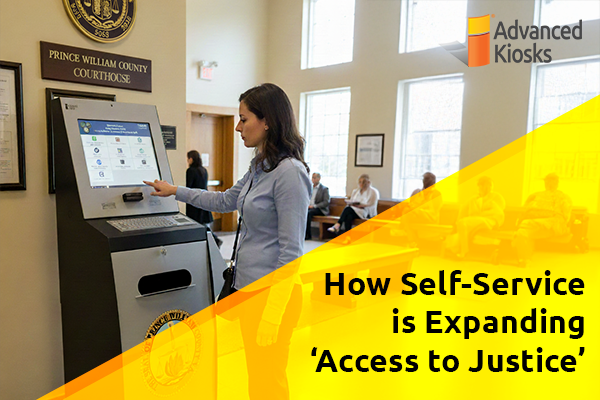
How Self-Service is Expanding ‘Access to Justice’
What is \'Access to Justice\'? Access to Justice is the…

Outdoor Kiosks: Answers to the 10 Most Common Questions
As organizations look to bring services outside the traditional lobby,…
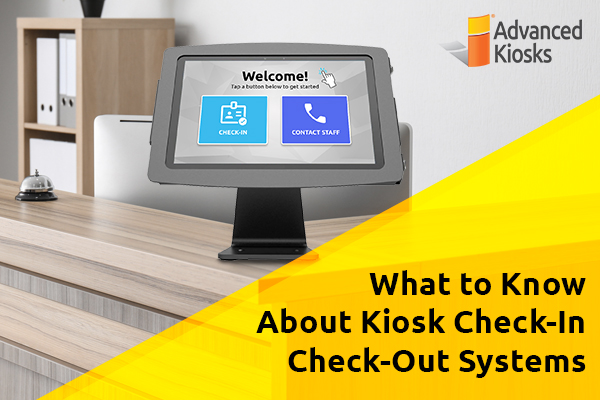
What to Know About Kiosk Check-In/Check-Out Systems
If you\'ve visited a modern government building, healthcare facility or…
Revolutionizing Kiosk Support with Show & Tell EZ Support
At Advanced Kiosks, innovation is at the heart of everything…

Nine Must-Have Features of a Great Visitor Management System
Your lobby is often the first point of contact for…