


Let Visitors Find What They Need Without Asking for Help
A searchable, touchscreen-optimized kiosk interface puts documents, directories, and service information directly in the hands of your public. Staff stop fielding routine lookup requests. Visitors get accurate answers immediately.
- Touchscreen-friendly search interface built for public use
- Custom document libraries, service directories, and FAQ content
- Wayfinding and department lookup built in
- Remote content updates from any desktop, no kiosk visit needed
Why Organizations Use Kiosks for Document and Data Search
Staff Should Not Be Human Search Engines
When visitors cannot find a form, locate a department, or look up a service, they interrupt staff. These routine questions consume significant time across a busy workday.
Information Changes, and Kiosks Keep Up
Administrators update document libraries and directory listings remotely. The kiosk reflects changes immediately, with no printed materials to reprint or redistribute.
Search Works in Any Language
Paired with multilingual kiosk support, document and data search serves diverse communities without requiring translated printed materials at every location.
Custom Document Libraries
Populate the kiosk with your own forms, policies, and service guides, organized by category or searchable by keyword.
Department and Service Directory
Visitors locate the right department, contact, or service without stopping at a reception desk.
Wayfinding Integration
Help visitors navigate buildings, campuses, or multi-facility organizations from the same kiosk screen.
Remote Content Management
Update search results, documents, and directory listings from your desktop. Changes push to the kiosk instantly.
Print on Demand
When paired with a printer, users can retrieve and print the document they found directly from the search interface.









































Government Offices
Residents locate permits, forms, and service information without waiting for a staff member to assist.

Courthouses
Self-represented litigants find filing guides, court schedules, and contact directories at their own pace.

Healthcare Facilities
Patients locate departments, access intake documents, and find insurance information without front desk assistance.
Higher Education
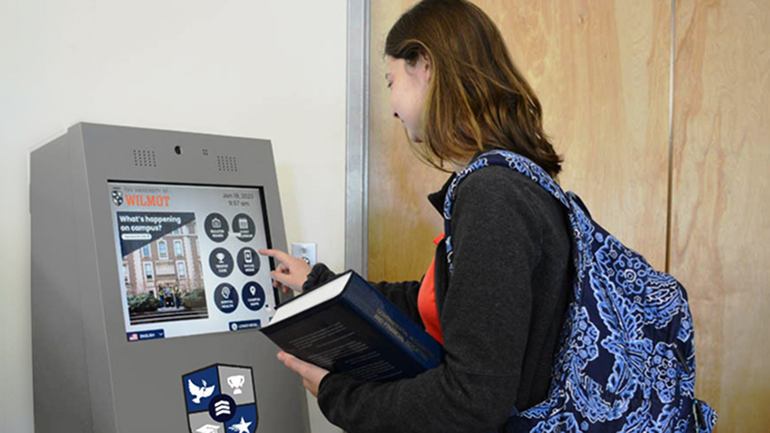
Students and faculty access forms, campus directories, and service information from lobby or common area kiosks.
Why Organizations Are Adding Search to Their Kiosks
Measurable advantages for public-facing organizations that handle high volumes of information requests.
Instant Information Access
Visitors find what they need without waiting for staff or searching through printed materials.
Staff Time Recovered
Routine lookup requests are handled by the kiosk, freeing staff for complex work.
Always Up to Date
Remote content management means the kiosk reflects current information at all times.
Available 24/7
Visitors can access documents and directories outside of staffed hours.
Multilingual Ready
Search and browse interfaces adapt to the user’s selected language throughout the session.
Print on Demand
Documents found in search can be printed on the spot when paired with kiosk printing hardware.
How Document and Data Search Works on a Kiosk
From the moment a visitor approaches to the moment they find what they need, the experience is fast, guided, and self-contained.

User Approaches
The kiosk displays the search interface with category options or a keyword search field.

Searches or Browses
The user types a keyword or taps a category to navigate the document library or directory.

Finds the Information
Results display clearly. The user reads the document, locates the contact, or views the service details on screen.

Prints or Proceeds
The user prints the document or moves to the next step in their workflow, such as form fill or scan.
Frequently Asked Questions
Common questions about VOIP calling and messaging on kiosks.
Can we upload our own documents and forms to the kiosk?
Yes. Zamok allows administrators to build custom document libraries using your own files. Documents can be organized by category, tagged for search, and updated remotely at any time.
How do we keep the content current without visiting the kiosk?
All content updates are managed remotely through the Zamok dashboard. Changes to documents, directory listings, and search results push to the kiosk in real time from any browser.
Can users print documents they find through the search interface?
Yes, when the kiosk is equipped with a printer. Users can print documents directly from the search result screen without any additional steps or staff involvement.
FROM OUR BLOG

What Every Organization Should Know Before Implementing AI
Artificial intelligence is rapidly moving from experimentation to implementation across…

Read Our Latest 2026 Newsletter!
Our latest newsletter is packed with updates from the field,…
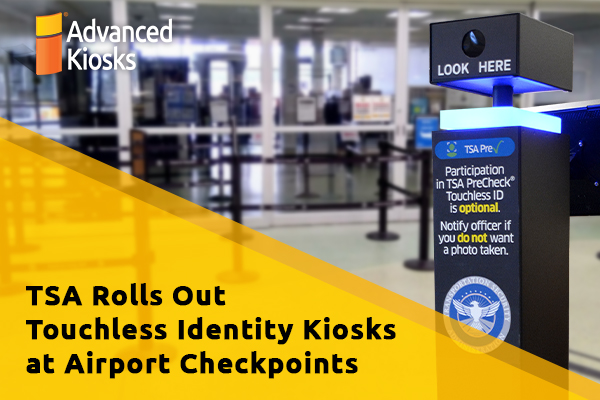
TSA Rolls Out Touchless Identity Kiosks at Airport Checkpoints
Moving millions of passengers safely through airport security requires more…
Outdoor Kiosks: Answers to the 10 Most Common Questions
As organizations look to bring services outside the traditional lobby,…
What to Know About Kiosk Check-In/Check-Out Systems
If you\'ve visited a modern government building, healthcare facility or…