

Kiosk Model: Merchant Max
One striking kiosk, configured for whatever your lobby needs to do
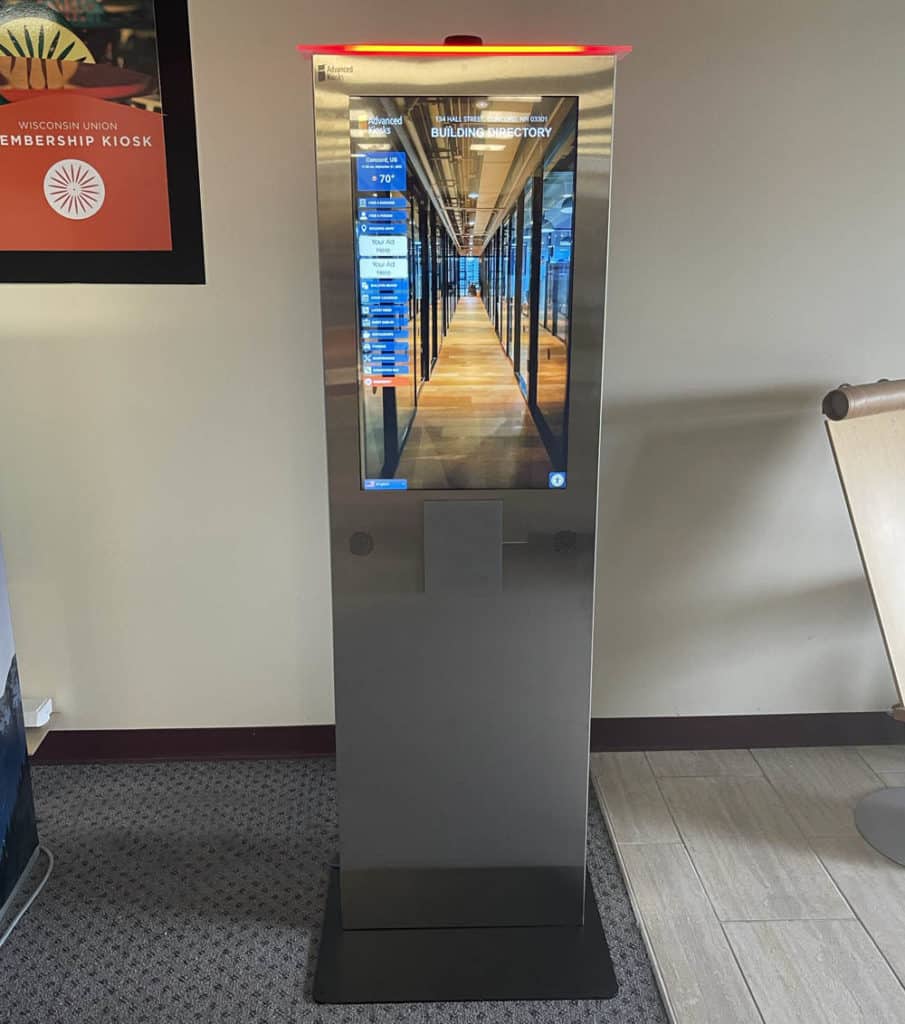
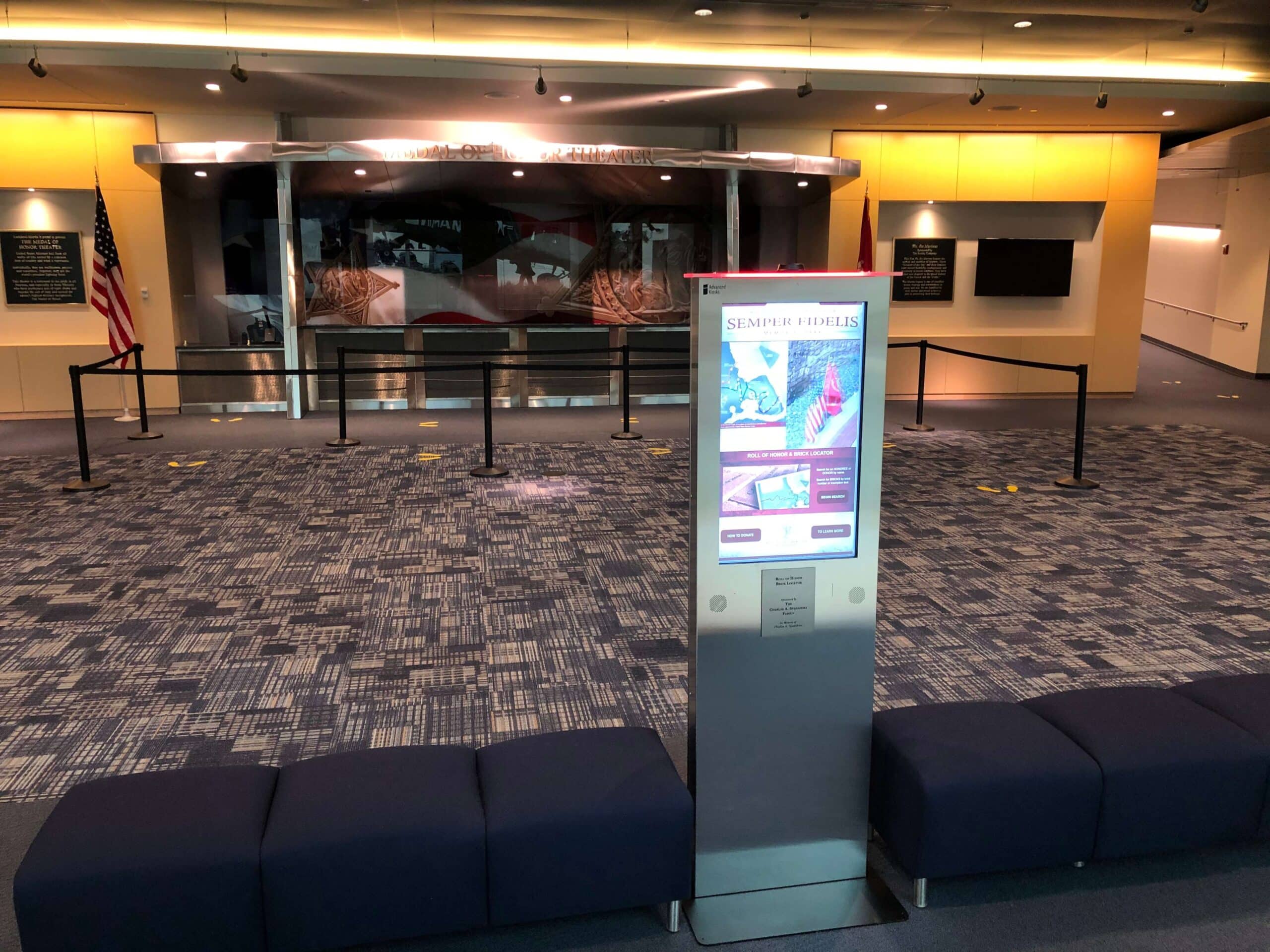
A 32-inch vertical touchscreen in a steel cabinet with an illuminated acrylic top — high visual presence for wayfinding, visitor check-in, interactive engagement, and self-service, in a compact footprint.
 GSA Contract Holder
  Made in USA
P/N: H32-400-100
The Merchant Max is the display hardware. Zamok Kiosk Management Software secures it and locks it to your chosen application, so the same kiosk can run a memorial brick finder, a visitor check-in system, or a retail interface depending on the software you deploy on it.
What people can accomplish at the kiosk
The Merchant Max is a blank-canvas kiosk, what people can do depends on the software it runs. Across live deployments, that has meant search, check-in, and self-service retail from one compact unit.

Find what they're looking for

Check in on arrival
Complete visitor check-in and join a queue without waiting for front-desk staff.
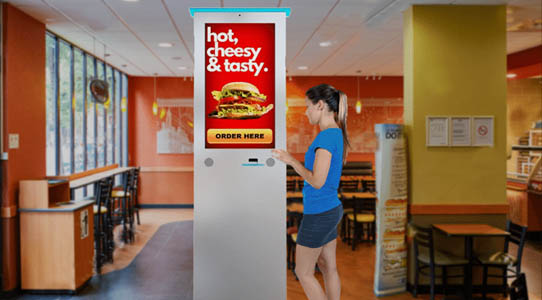
Browse and buy
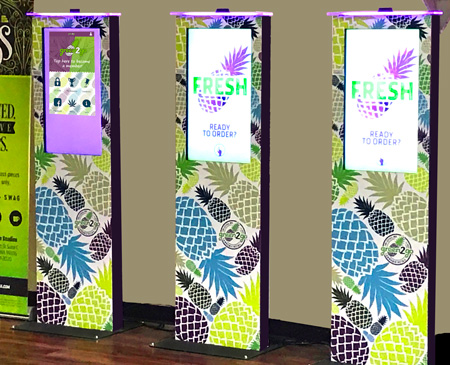
Shop, screen, or purchase through a retail interface configured for self-service.

Navigate a space
Use interactive wayfinding to find rooms, exhibits, or services on site.

Engage with content
Explore interactive displays, campaigns, or information in high-traffic areas.

Do it securely
Work inside a locked-down session that resets between users, managed by Zamok.
Built for how public-facing spaces actually run
The Merchant Max adapts to the space it’s in. Here’s how it’s working across live deployments, from museums to courthouses.

Courts & Clerk
Offices
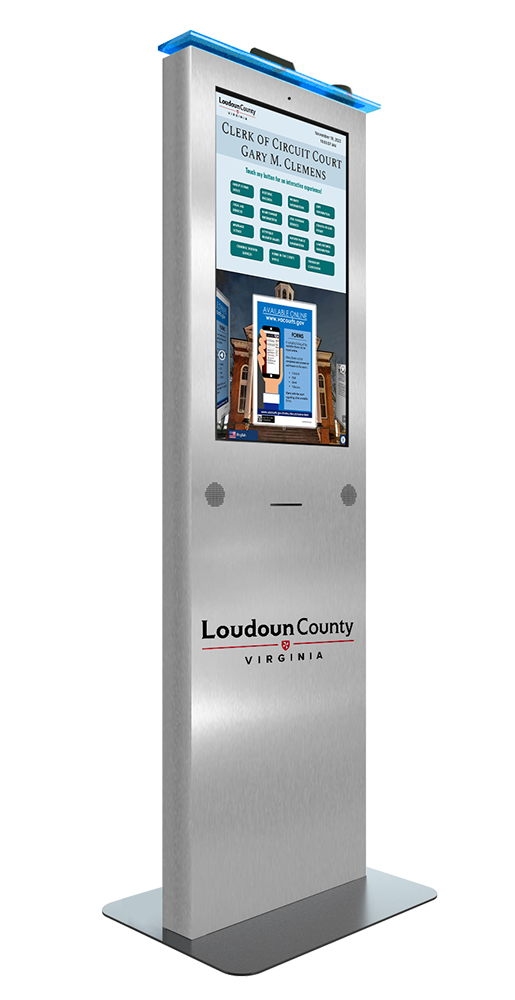
Visitor check-in and queue management in court lobbies, reducing front-desk load, as deployed for the Loudoun County Clerk of Circuit Court.

Government &
County Offices
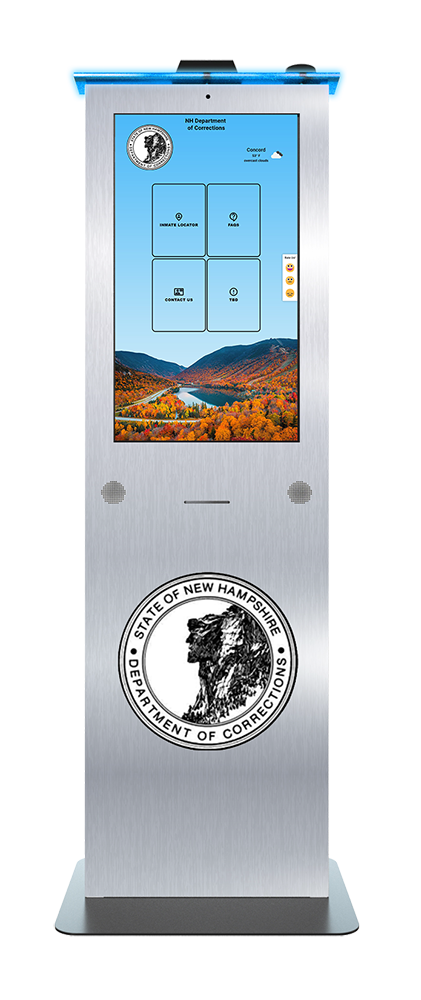
Secure, controlled-access information kiosks for institutional environments, including a locked-down interface for the NH Department of Corrections.

Education
Interactive campus information, directories, announcements, events, and student resources for schools, colleges, and other educational facilities.

Healthcare
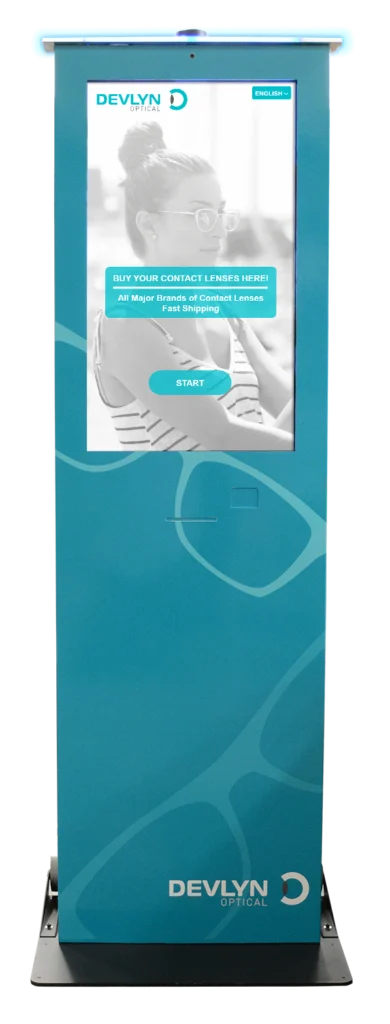
Self-service vision screening and eyewear services, including prescription uploads and purchasing, as deployed by Devlyn Optical in grocery stores.
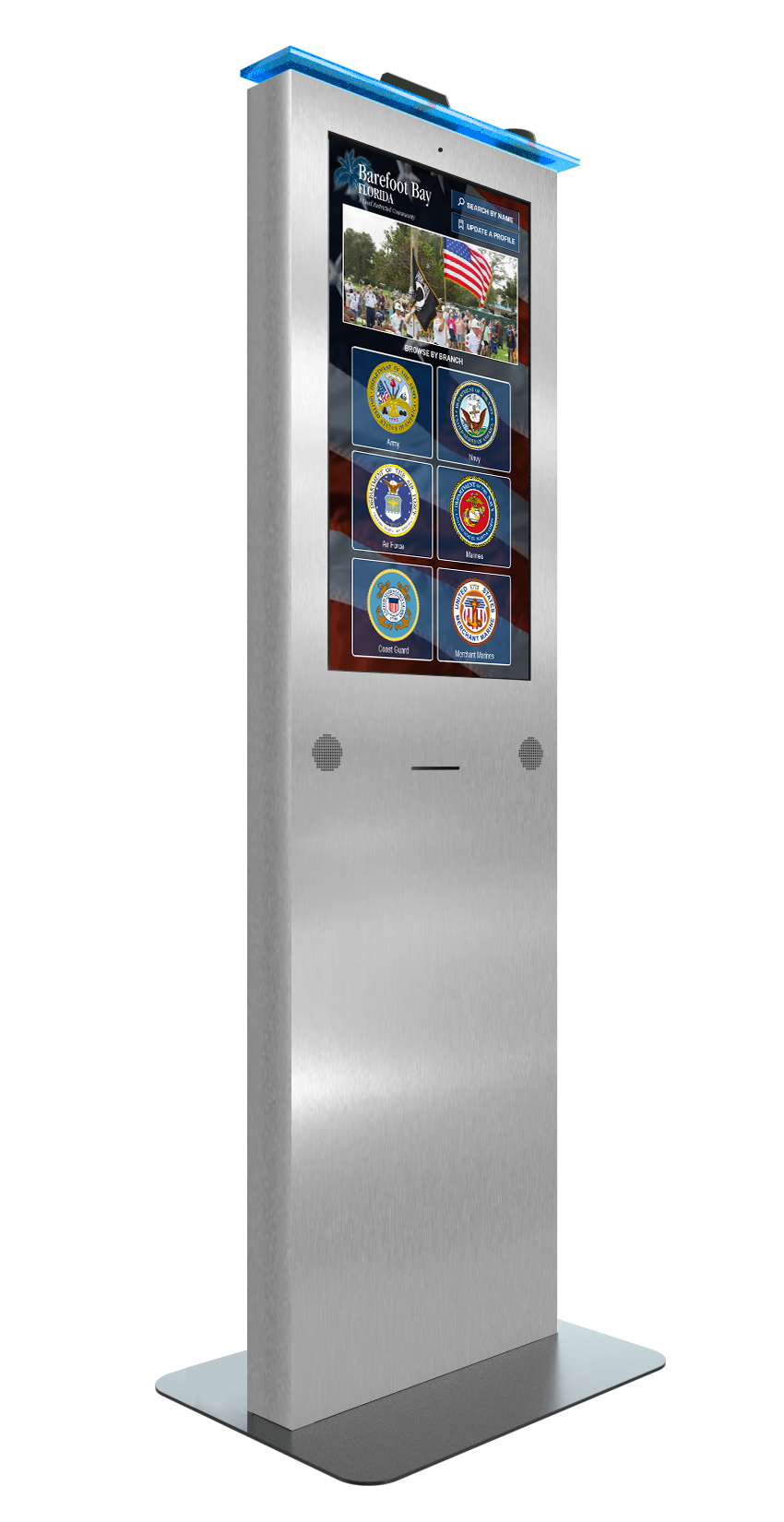
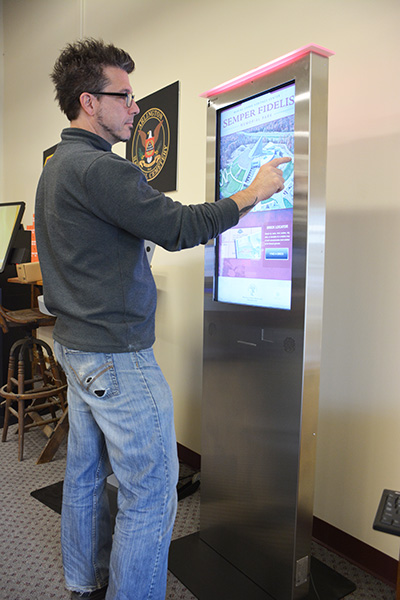
Tribute Station on a Merchant Max Kiosk
Merchant Max Interfaces
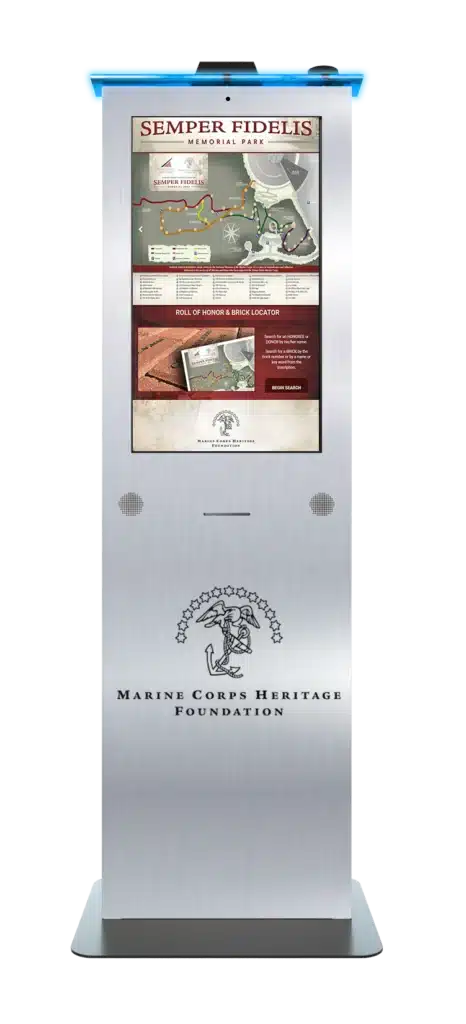
See how the Merchant Max adapts across museum, government, courthouse, and retail deployments.
Zamok Kiosk Management Software
Secure, manage, and expand the kiosk with Zamok
A public kiosk needs more than a website displayed full screen. Zamok is the secure operating environment and management layer that runs the Document Kiosk as a dependable public-service system.
- Lock the kiosk to approved websites and applications
- Protect the Windows environment and clear each public session
- Manage content and configuration remotely
- Monitor status and receive operational notifications
- Review usage and performance reports
- Support printers, scanners, cameras, handsets, and peripherals
- Add communications, forms, and AI assistance as the project grows

Standard Features
- 32” Commercial-Grade LCD Touchscreen, Aspect Ratio 16:9, Vertical
- Steel Enclosure with Powder-Coated Finish
- Integrated Illuminated Acrylic Top
- Freestanding Base
- Intel® Multi-Core Processor (2.0 GHz or Higher) or Equivalent Enterprise-Class CPU
- 8 GB RAM
- 120 GB Solid State Drive (SSD)
- Windows 11 Professional
- WiFi and Cat 5 Ethernet Connectivity
- Integrated Surge and Overload Protection
- Built-in Web Camera
- Amplified Stereo Speakers
- Lock and Key Access (Two Keys Included)
- All Electrical components are tested and compliant with applicable UL and FCC standards.
- Setup Instructions and User Manuals
Upgrade Options
Why choose the Merchant Max Kiosk?

Engaging Design
A mini-monolith interactive display with an illuminated top that draws attention in any lobby.

Mobile Solution
Move it from location to location, or bolt it to the floor for a permanent install.

Fully Customizable
Runs any software solution, configured to the needs of different industries on the same hardware.

Compact Footprint
Vertical form factor fits tight, high-traffic spaces where a full kiosk won’t.

Proven Across Industries
Live in museums, corrections, courthouses, and retail, one platform, many jobs.

Request Demo
Reach out to see this kiosk in action.
Download Brochure & Manuals


Download Owner’s Manual

Download Dimensional Drawing
Case Studies
Read practical examples and industry insights that show how self-service kiosks support real public-service workflows.
100's of Videos
Watch product walkthroughs, demos, tutorials, and customer examples to see kiosk solutions in action.
Complete Knowledgebase
Find answers, setup guidance, support articles, and technical resources for kiosk hardware and software.
Newsletter Archives
Explore past updates, product news, customer stories, and self-service technology insights from Advanced Kiosks.
Kiosk Gallery
Browse photos of kiosk models, installations, configurations, and real-world deployment environments.
Customer Stories
See how organizations use Advanced Kiosks to reduce workload, improve access, and modernize service delivery.
FROM OUR BLOG

What Every Organization Should Know Before Implementing AI
Artificial intelligence is rapidly moving from experimentation to implementation across…

Read Our Latest 2026 Newsletter!
Our latest newsletter is packed with updates from the field,…
TSA Rolls Out Touchless Identity Kiosks at Airport Checkpoints
Moving millions of passengers safely through airport security requires more…

Outdoor Kiosks: Answers to the 10 Most Common Questions
As organizations look to bring services outside the traditional lobby,…
What to Know About Kiosk Check-In/Check-Out Systems
If you\'ve visited a modern government building, healthcare facility or…