


General Newsletter | Housing Authority Issue | Law Enforcement Issue
Product Feature: Police Chief Magazine
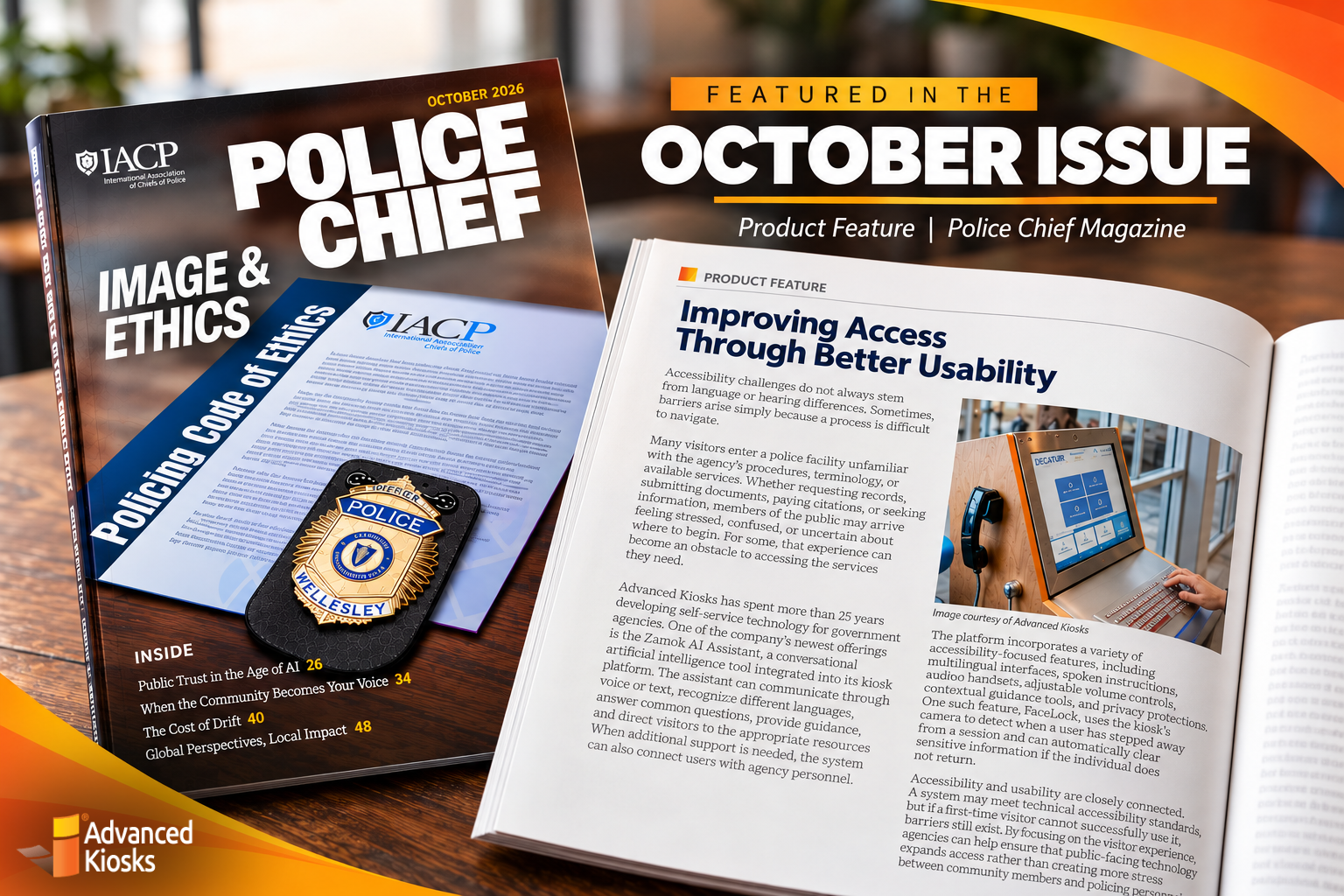
What Does True Accessibility Look Like in a Police Lobby?
Law enforcement agencies serve the entire community. Their technology should, too.
In Police Chief Magazine’s October 2026 issue, Advanced Kiosks explores how multilingual support, voice and text interaction, guided navigation, and access to human assistance can remove barriers between visitors and essential services.
NEW PRODUCT! Meet the Document Processing Kiosk
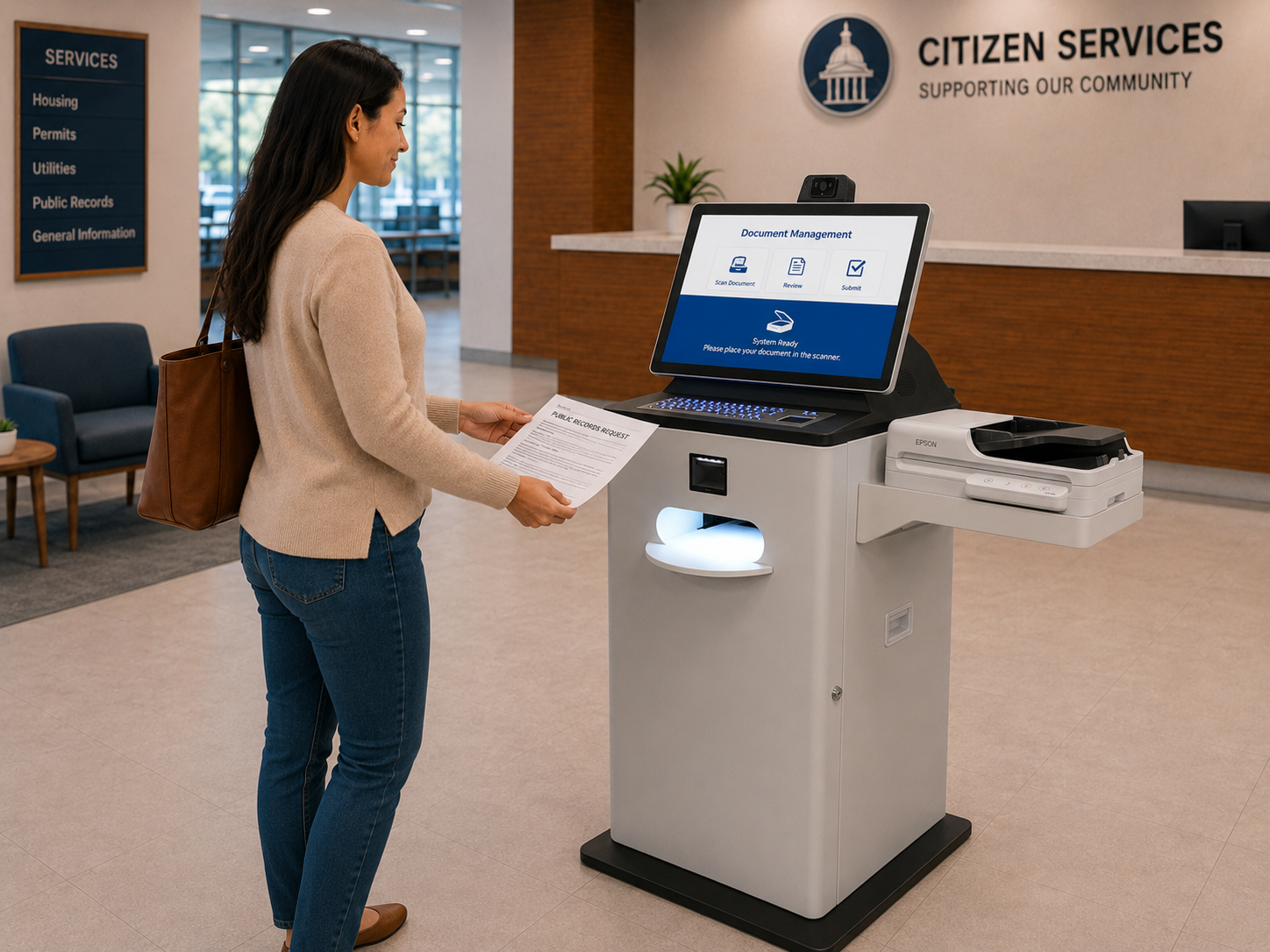
Document Intake Built for Real-World Workflows
The new Document Processing Kiosk brings a larger touchscreen, multipage scanning and full-size printing together with the expanded capabilities of the Kiosk Office Suite.
Users can complete guided forms, submit supporting documents, access approved online services and make card payments. Voice and video assistance provide a direct connection to staff when a task needs personal support.
Behind the interface, document processing, scan & scrub, notifications, reporting and centralized management support the flow of information from submission through review. Organizations can configure these capabilities around their applications, service requirements and document-handling processes.
Built for government offices, courts, housing authorities and other document-heavy environments, this new workstation combines upgraded hardware with the software tools needed to manage complete self-service workflows.
Customer Success Stories: Ada County Sheriff’s Office
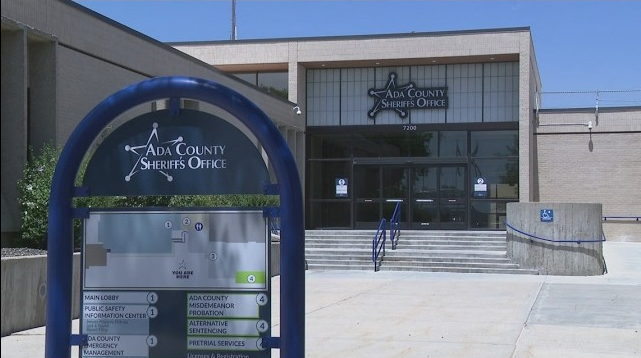
One Starting Point for Visitor Services
Routine forms, check-ins and information requests can quickly fill a sheriff’s office front desk. Ada County brought those services into one self-service experience, giving visitors a clear place to begin.
With their Kiosk Office Suite deployment, visitors can complete digital forms, find inmate information and print visitor badges. Multilingual guidance and VOIP provide a path to assistance when needed.

Less paperwork. Fewer routine interruptions. More time for requests that actually need staff.
NEW Blog Post! Simplifying Document Intake for Housing Authorities
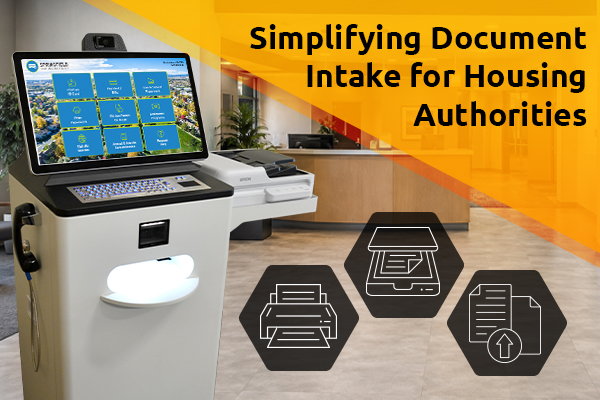
The Five Minute Task Costing Housing Authorities Hours
Five minutes of paperwork does not sound like much. Until it happens 30 times a day.
Applications, recertifications, IDs, income verification, and supporting documents create a constant stream of routine intake for housing authority staff. Multiply a few minutes of assistance across dozens of residents, and suddenly hours of the workday are spent handling paperwork.
Our latest article explores how self-service document intake can shift more of that process to residents, giving them a guided way to complete forms, scan and submit documents, and move routine paperwork forward while staff focus on residents and cases that actually require personal attention.
Another Installation! New York State EMS Memorial

A Memorial That Can Tell 140+ Stories
A name on a memorial matters. So does the story behind it.
The New York State EMS Memorial uses an interactive Tribute Station to honor more than 140 Emergency Medical Services professionals who died in the line of duty. Visitors can search for individual honorees and explore their biographies and service histories, while QR access makes the memorial available to families and colleagues who cannot visit in person.
The digital platform can also grow as new honorees and information are added, creating a living tribute rather than a static record.
NEW: Bringing More Services to Rural Communities
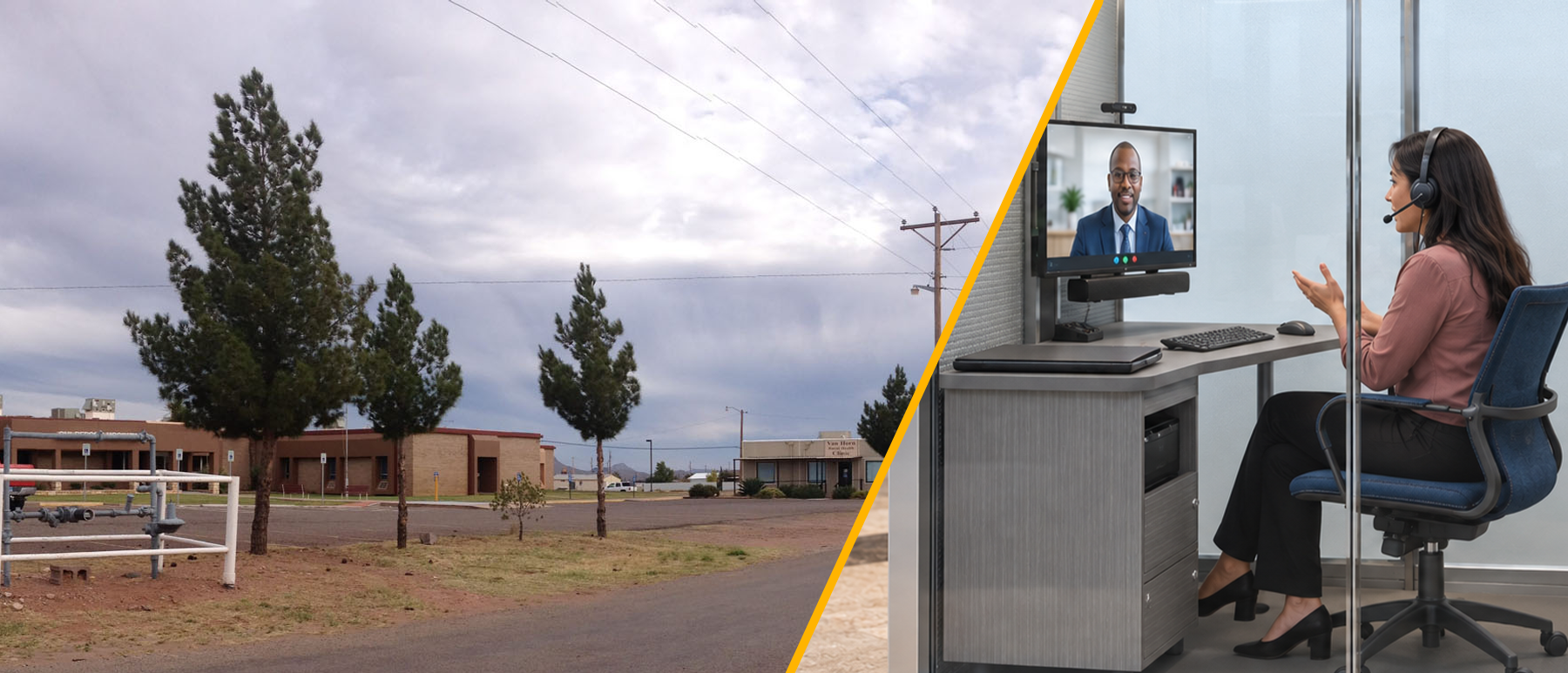
A Rural Health Access Station Can Be More Than a Telehealth Screen
Access to healthcare in rural communities is not only about reaching a medical provider.
Patients may also need help completing forms, submitting documents, printing information, communicating with staff, navigating services or receiving assistance in another language.
The Rural Health Access Station, built around the Aegis self-service workstation, brings those capabilities together in one remotely managed service point.
A station can support:
– Live video sessions with remote healthcare professionals
– Patient forms and digital workflows
– Document scanning and printing
– AI-guided assistance
– Multilingual access
– Voice and video support
– Check-in and service navigation
– Centralized deployment and kiosk management
This approach can extend access to communities where staffing, distance and infrastructure make traditional service delivery more difficult.
And the concept is not just theoretical. Advanced Kiosks has experience supporting federally backed remote-service initiatives, including the Fort Peck project, that demonstrate how technology can bring important services closer to geographically dispersed populations.
Success Stories: Welcoming New Customers
New Deployments. New Ways to Use Self-Service.
Organizations are putting Advanced Kiosks technology to work in very different environments – from housing and municipal services to education, public information and scientific outreach.
“Exactly what we wanted. The support team has been amazing and so patient, and Chris made changes almost instantly. The Town of Bluffton is super happy.”— LeeAnn, Town of Bluffton
Recent deployments include:
Each project starts with a different problem, but the goal is the same: give people easier access to information and services while reducing routine workload for staff.
More stories from these deployments are coming soon.
Product Feature: Smart Police Station
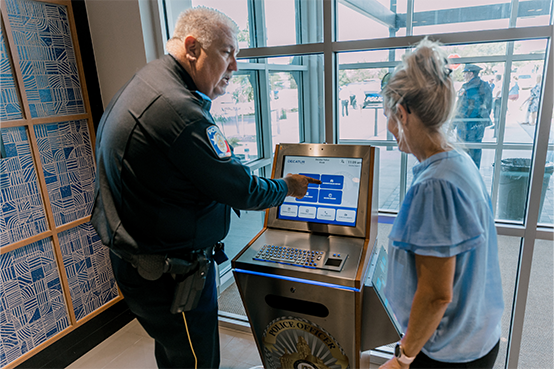
Start With the Work That Slows You Down
A Smart Police Station begins with your department’s processes: which services visitors need, how requests reach the right people and where staff review or approval belongs.
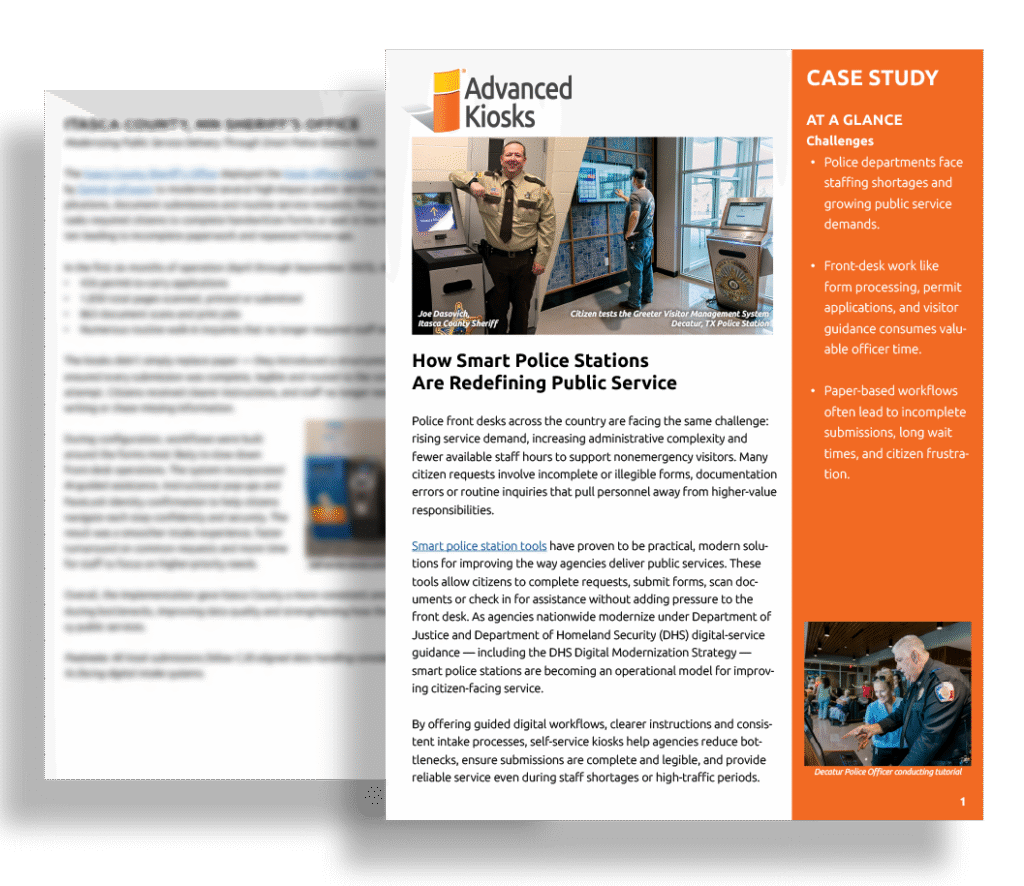 Your department can start with a focused service, such as records requests, document submission or visitor check-in, then expand as needs evolve. The configuration reflects how your agency operates, including the points where visitors should connect with a person.
From the first workflow discussion through launch and ongoing support, your team has a defined implementation path and a partner responsible for helping bring it together.
Customer Success Stories: DC Housing Authority
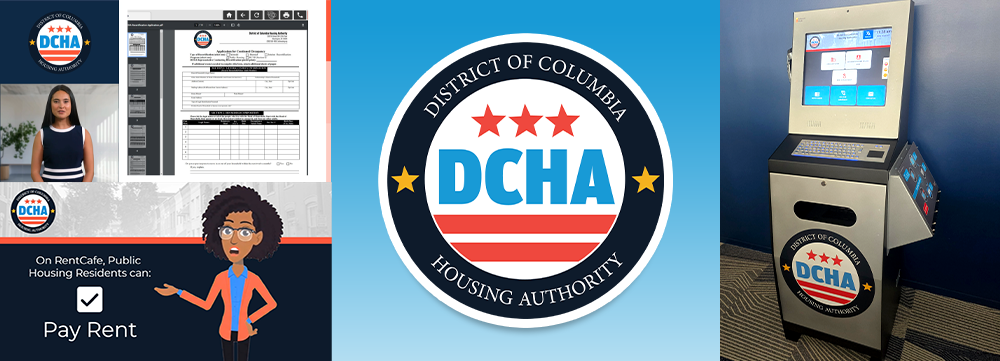
Easier Access to Housing Services for DC Residents
For residents without reliable computer access, managing housing accounts and submitting paperwork can be a 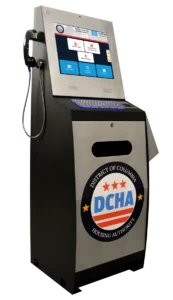 challenge. DC Housing Authority’s Kiosk Office Suite with ZAMOK® eForms brings RentCafe account access, document scanning and uploads, and guided resident assistance together.
Helpful instructional videos show residents how to find services and navigate the kiosk. Multilingual support and direct staff contact through VOIP make essential housing tasks easier to complete, especially for residents who are less comfortable with digital tools.
NEW: See What ZAMOK Can Do Now
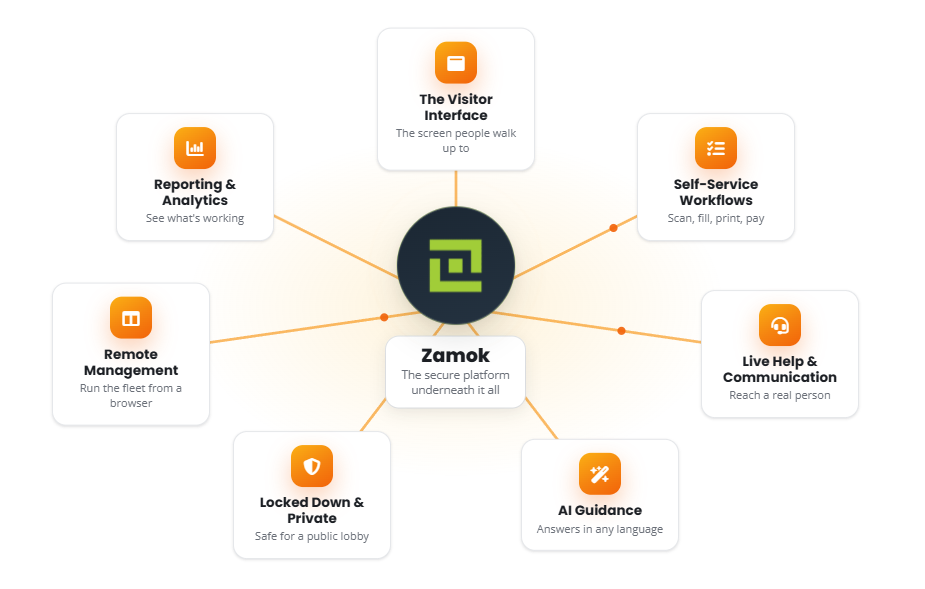
Your Kiosk Can Do a Lot More Than Display a Website
ZAMOK® Kiosk Management Software has grown into the software ecosystem behind a much broader range of self-service experiences.
Organizations can use ZAMOK to help people complete forms, work with documents, make payments, communicate with remote staff, access services in multiple languages and receive AI-guided assistance, while administrators manage kiosk deployments from a central platform.
View the detailed guides:
ZAMOK AI Assistant – guided AI assistance for users and workflows
ZAMOK Multilingual Support– multilingual self-service and language support
ZAMOK Video Conferencing– live video assistance from remote staff
ZAMOK Payments – secure self-service payment workflows
ZAMOK Remote Fleet Management – centralized kiosk and fleet management
ZAMOK Complete Software Guide – detailed guide on the full Zamok software product
We have created a new series of detailed guides showing how each part of the platform works.
NEW Blog Post! Practical AI Starts With the Problem
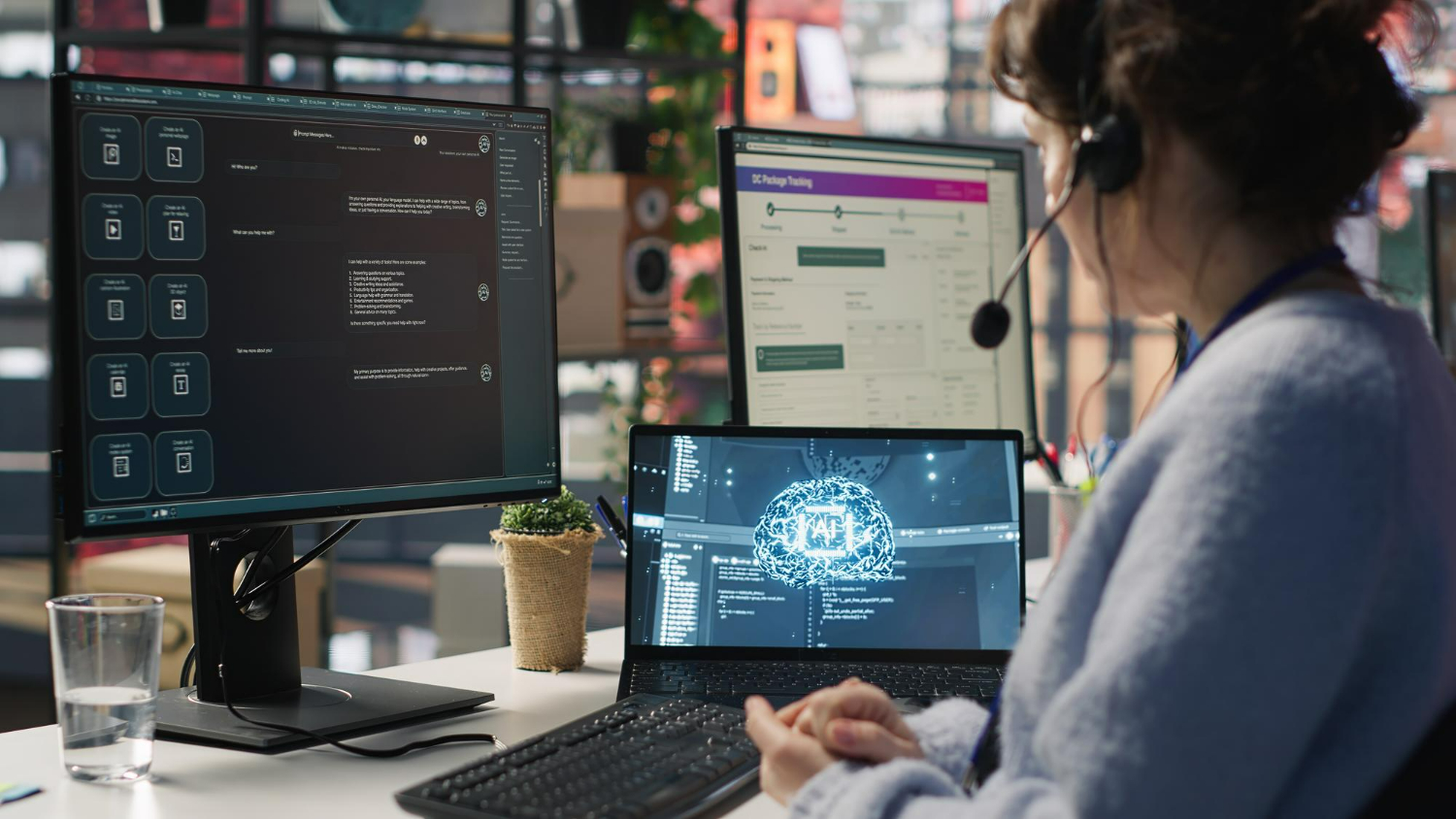
Before You Add AI, Ask These Questions
AI is becoming part of real self-service deployments – including systems that help users understand forms, find information, navigate services and determine what to do next.
But adding AI simply because the technology is available is not a strategy.
The most useful implementations start with a specific problem: What are users struggling to understand? Where are staff repeatedly stepping in? What information can AI safely access? And when should the experience hand the user back to a person?
Our latest article looks at the questions organizations should answer before introducing AI into public-facing workflows – and how to make AI genuinely useful instead of simply adding another technology layer.
Another Installation: Pike County Probate Office
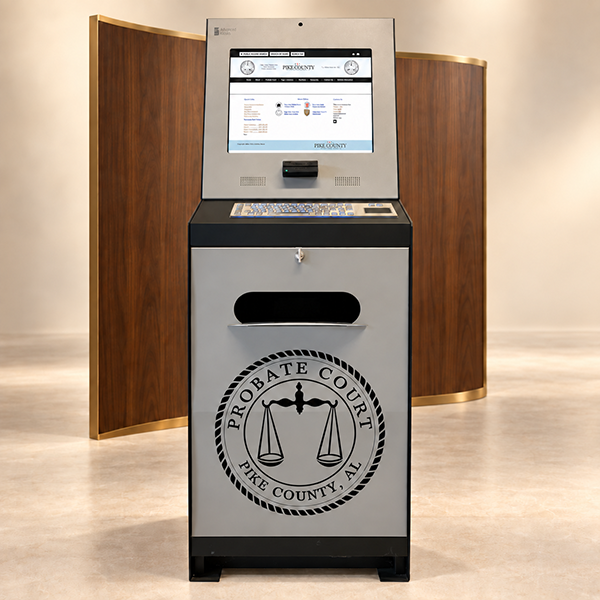
Skip the Courthouse. Complete Your Paperwork Here.
For Pike County residents, completing routine paperwork no longer has to mean a trip to the courthouse.
The Pike County Probate Office brought the process closer to the community with self-service kiosks in two convenient locations. Residents can scan the barcode on their renewal notice or enter their information, make updates, pay, and print their registration paperwork right at the kiosk.
It is a simple shift with a big payoff: easier access for residents and fewer routine transactions competing for staff attention at the probate office.
The Advanced Kiosks Difference: Onboarding & Implementation
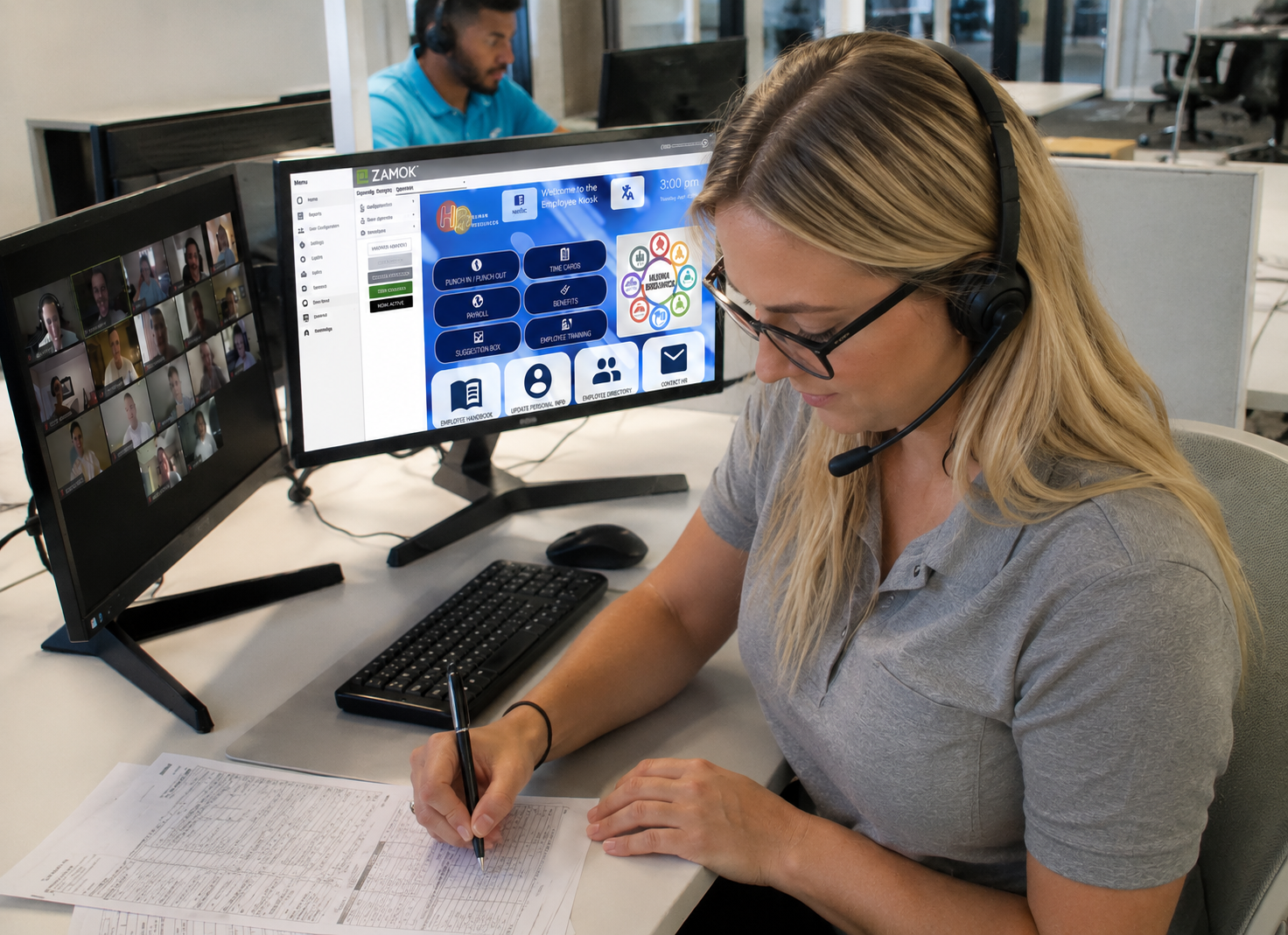
What Could Self Service Take Off Your Counter?
The best kiosk projects do not start with a touchscreen. They start with a question: what is taking up your staff’s time that people could accomplish on their own?
Forms, document intake, payments, check-ins, printing, wayfinding, and service access can all become part of one thoughtfully designed self service experience. And you do not have to figure out how to build that experience alone.
Every Advanced Kiosks project is backed by our Onboarding & Implementation team. A dedicated specialist works with you to map your goals and workflows, configure the software and user experience, test the complete system, train your staff, and guide the project through launch. Your kiosk arrives built around the way your organization actually works, with continued support after deployment.
We handle the heavy lifting. You get a self service system ready to do real work.
Another Installation! 5th Special Forces Group

Bringing the Stories Behind the Memorial to Life
Modernization is not always about moving routine work off the front desk. Sometimes, it is about making important information easier to access without creating another system staff have to constantly manage.
At Fort Campbell, the 5th Special Forces Group worked with Advanced Kiosks and Caraway Electric to transform an outdated memorial system into an interactive Tribute Station built for remembrance. Visitors, families, and service members can search for fallen soldiers and explore their photographs, biographies, and stories of service through one accessible experience.
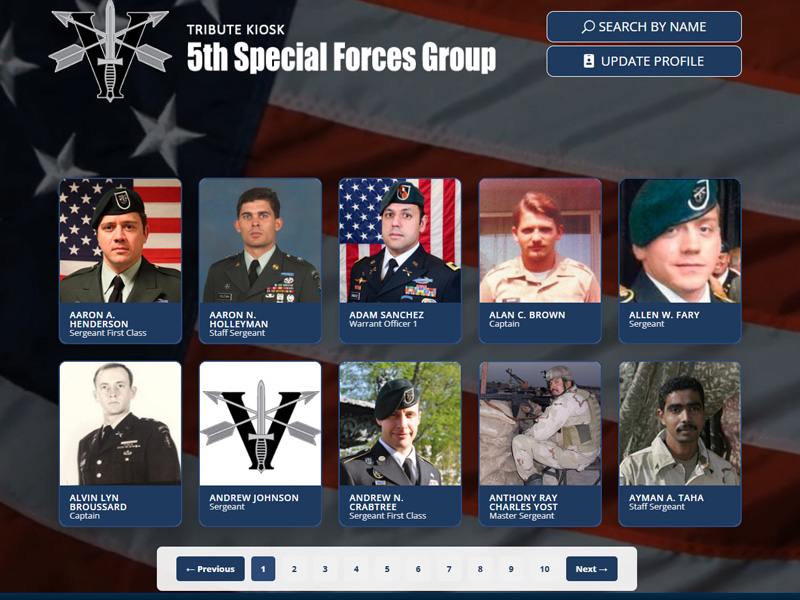
Behind it is a sustainable way to manage, update, and preserve that information over time. For law enforcement and public safety organizations, the project shows how self-service can replace aging systems, provide direct access to important information, and reduce the staff effort required to keep it current and available.
New Installation! Atlanta Housing Authority

Atlanta Housing Authority - What If Document Drop Off Took 5 Minutes?
When 70 to 75 people walk through your doors every day, even a routine document drop off can become a major workload.
Atlanta Housing manages more than 19,000 walk in visits each year. Routine tasks like submitting applications, recertifications, and income verification could mean waits of up to 30 minutes for residents, while taking valuable time away from front desk staff.
To create a faster path to service, Atlanta Housing introduced a Kiosk Office Suite solution that gives residents a guided way to manage housing documents and access essential resources without starting at the front desk.
The result? Routine document intake can now take approximately 5 minutes, helping residents get in and out faster while giving staff more time for higher value support.
“The kiosk system is surpassing our expectations. Once we introduce families to it, they quickly realize, ‘Oh, this is easy!”Tiffany Hinton
Director of Customer Service, Atlanta Housing
Explore Past Newsletters
Call Us to Speak With an Expert
1 (603) 865-1000
Toll Free: +1.866.783.3791
Mon-Fri 8:30 am-5 pm (EST)
Schedule Your Conversation
Set your own appointment with a self-service expert. Choose your own date and time for the conversation!
Use Your Voice and Dictate into the Form!

Answer these questions:
To get the best recommendations, try to cover:
The main problem you’re trying to solve
Where the kiosk(s) will be used
Indoor or outdoor environment
Number of users or visitors
Any specific features you need (payments, check-in, printing, scanning, wayfinding, etc.)
Timeline or urgency
What Could Self-Service Take Off Your Staff’s Plate?
If forms, document intake, check-in, payments, visitor services, or routine questions are consuming staff time, we can help map the workflow and determine what should move to self-service.
"*" indicates required fields
FROM OUR BLOG
What Every Organization Should Know Before Implementing AI
Artificial intelligence is rapidly moving from experimentation to implementation across…
Read Our Latest 2026 Newsletter!
Our latest newsletter is packed with updates from the field,…
TSA Rolls Out Touchless Identity Kiosks at Airport Checkpoints
Moving millions of passengers safely through airport security requires more…
Outdoor Kiosks: Answers to the 10 Most Common Questions
As organizations look to bring services outside the traditional lobby,…
What to Know About Kiosk Check-In/Check-Out Systems
If you\'ve visited a modern government building, healthcare facility or…