

Move crowds through the door in seconds, not minutes
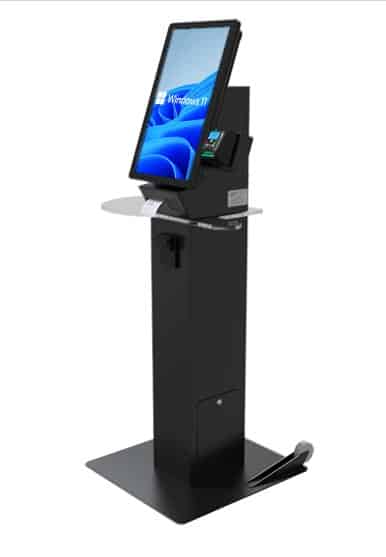
A steel pedestal kiosk with a 22-inch touchscreen, receipt printer, and transaction shelf, built for ticketing, check-in, and payments in events, venues, and public lobbies.
 GSA Contract Holder
 Made in USA

P/N: H32-30-100
Shown with optional ticket printer and bill acceptor.
The Ticketing Kiosk is the transaction hardware. Zamok secures and manages it, and custom ticketing or bill payment software turns it into a complete self-service point for tickets, badges, and payments.
What people can accomplish at the kiosk
The Ticketing Kiosk handles fast, transaction-based self-service, most often selling tickets and printing badges. These are its most common uses.
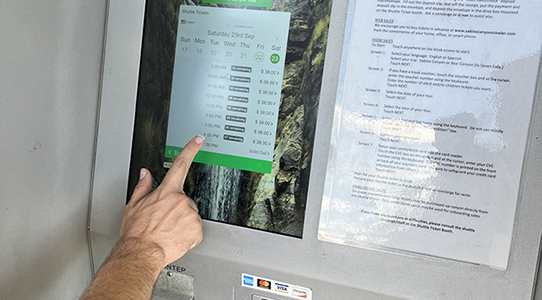
Buy tickets
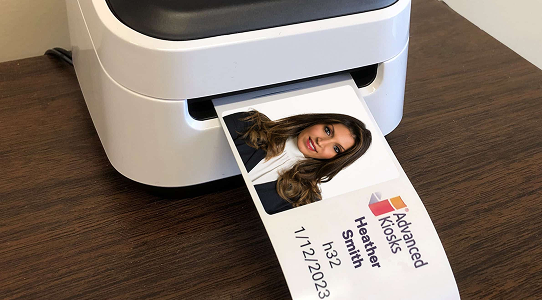
Print tickets and badges
Print tickets, receipts, or event badges on the integrated printer.
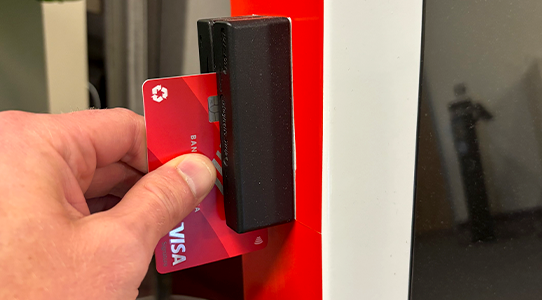
Pay by card
Complete secure EMV card payments at the kiosk without staff.
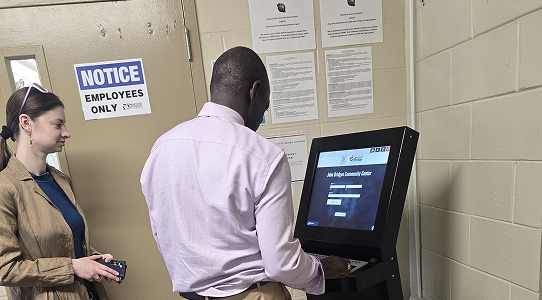
Check in for an event
Register or check in for admission and skip the staffed line.

Pay bills and fees
Handle bill payments and point-of-sale transactions in a public lobby.
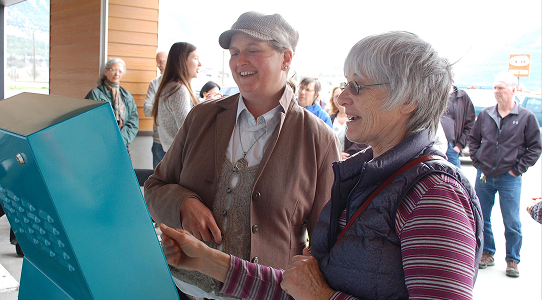
Move through faster
Cut wait times at peak surges without adding front-line staff.
The Ticketing Kiosk in the field
See the Ticketing Kiosk across events and transaction deployments.




Zamok Kiosk Management Software
Keep a payment kiosk secure and reporting in real time
A ticketing kiosk taking payments in a crowded venue has to stay locked to its job and auditable. Zamok is the secure operating layer that locks the Ticketing Kiosk to the payment application, protects the Windows environment, and gives your team real-time visibility and remote control across every unit at an event.
- Lock the kiosk to the ticketing or payment application
- Protect the Windows environment and clear each session
- Track ticket volumes and transactions in real time
- Manage content and configuration remotely
- Monitor status and receive operational alerts
- Support the printer, card reader, and scanner
- Add communications and AI assistance as the project grows

Standard Features
- 22” HD Commercial-Grade Multi-Touch Display
- 16-Gauge Steel Construction (Black Powder-Coated Finish)
- Integrated 3” Thermal Receipt Printer
- Integrated Acrylic Transaction Shelf
- Pedestal and Base with Dual Access Doors
- ADA-Compliant Touchpad Interface
- Built-in Web Camera
- Intel® Multi-Core Processor (2.0 GHz or Higher) or Equivalent Enterprise-Class CPU
- 8 GB RAM
- 120 GB Solid State Drive (SSD)
- Windows 11 Professional
- WiFi and Cat 5 Ethernet Connectivity
- Integrated Speakers
- Lock and Key Access (Two Keys Included)
- All electrical components are tested and compliant with applicable UL and FCC standards.
Optional Transaction Hardware:
- EMV-Compliant Credit Card Reader
- Bill Acceptor
- Barcode Scanner
Upgrade Options
- Barcode Reader
Scan IDs, tickets, and documents for fast check-in and lookup. - Ticket Printer (for Ticket stock or labels)
Issue printed receipts or tickets at the kiosk. - EMV Credit Card Reader
Take secure chip-card payments right at the kiosk.
- Computer Upgrades
Add processing power for demanding applications. - Vinyl Graphics and Logo
Brand the kiosk to match your organization’s look. - 4G Cellular Modem
Keep the kiosk online without relying on the building network.
- Bill Acceptor
Take cash payments without staff handling money. - Wheels
Move the kiosk between locations as needs change. - AK Support Service
Get ongoing support, troubleshooting, and updates after launch.
- Zamok Kiosk Software
Lock the kiosk to approved tasks and manage it remotely.
Why choose the Ticketing Kiosk?

Fast Ticketing
Quick, automated ticket and badge printing that moves lines in seconds.

Versatile Solution
Works for events, parking, amusement parks, and public venues.

Durable Design
16-gauge steel with powder coat for long-lasting public use.

Customizable Upgrades
Add barcode scanners, card readers, bill acceptors, or 4G as needed.

Secured by Zamok
Locks to the payment app with real-time transaction reporting.

Request Demo
Reach out to see this kiosk in action.
Download Brochure & Manuals


Download Owner’s Manual

Download Dimensional Drawing
Case Studies
Read practical examples and industry insights that show how self-service kiosks support real public-service workflows.
100's of Videos
Watch product walkthroughs, demos, tutorials, and customer examples to see kiosk solutions in action.
Complete Knowledgebase
Find answers, setup guidance, support articles, and technical resources for kiosk hardware and software.
Newsletter Archives
Explore past updates, product news, customer stories, and self-service technology insights from Advanced Kiosks.
Kiosk Gallery
Browse photos of kiosk models, installations, configurations, and real-world deployment environments.
Customer Stories
See how organizations use Advanced Kiosks to reduce workload, improve access, and modernize service delivery.
FROM OUR BLOG

5 Ways Kiosks for Entertainment Improve Sales and Guest Experiences
Many businesses in the entertainment industry have been struggling to…

Zoo Kiosks are Improving Visitor Satisfaction
There are lots of benefits to zoo kiosks when they are done…

Museum Kiosk Design Made Simple
You’ve decided it’s time to make your museum more engaging,…

Strikes and Spares: A Kiosk Ticket Sales Success Story
With the surging interest in using customer service kiosks for…

Continuous Service in an Uncertain World With a Kiosk Ticketing System
What’s a kiosk ticketing system? Put quite simply, it’s an…